
USER GUIDE
Company and document settings
Your legal details, bank accounts, numbering, and what prints where.
Settings → Company and Settings → Documents hold everything printed in the seller block of your documents, plus how they are numbered.
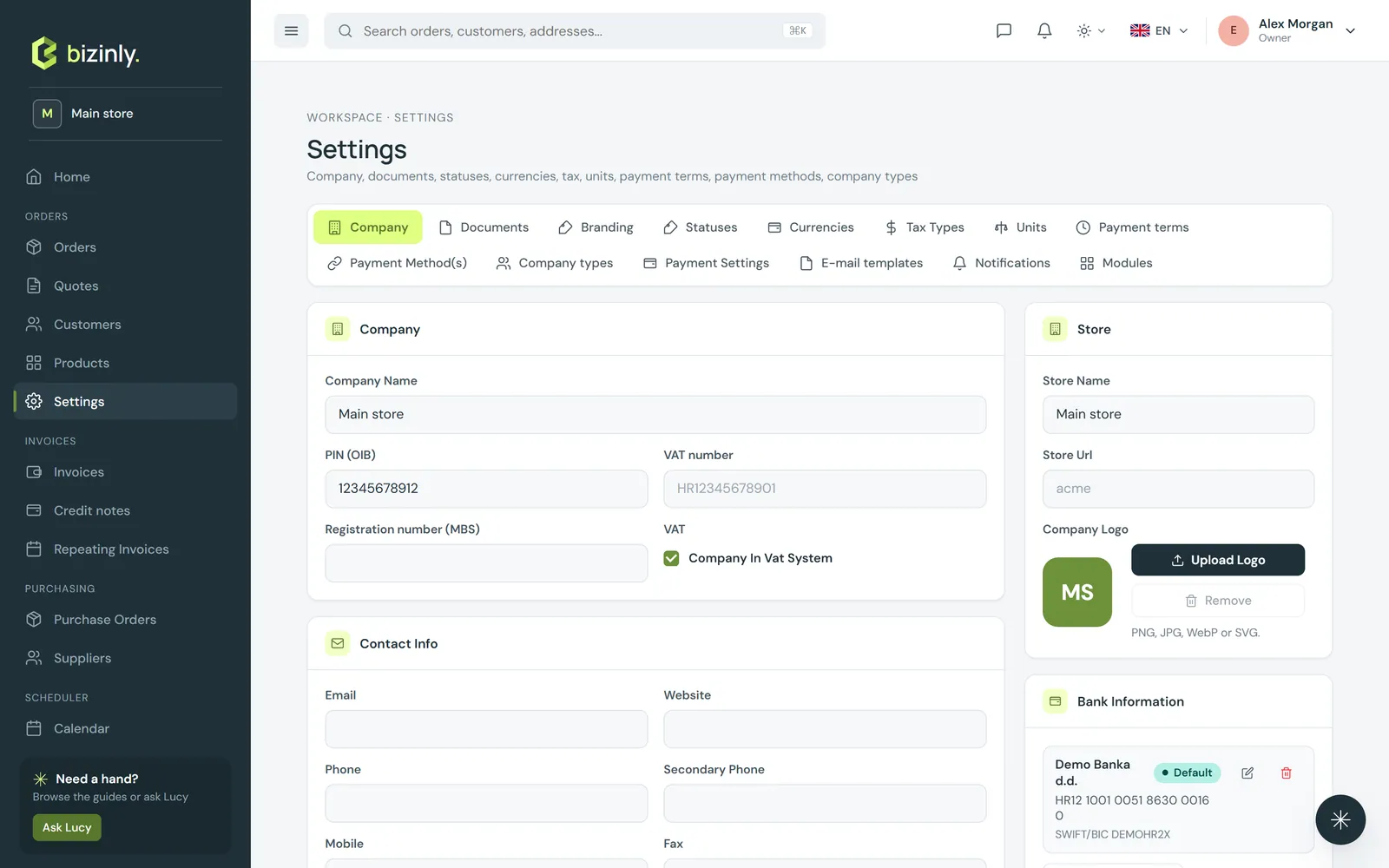
Company
- Company: legal name, short description, registration and tax numbers, whether you are VAT-registered.
- Legal footer: any court registration, share capital or board-member text your jurisdiction requires — printed at the bottom of every PDF.
- Contact and address: e-mail, website, phone numbers, and your headquarters address.
- Defaults: default currency, tax type, payment terms, time zone and language.
- In the side rail: your store name (used in PDF file names and e-mail subjects), a logo, and your bank accounts — add one or several, and mark one as the default. An account already used on a document or payment cannot be deleted.
Document numbering
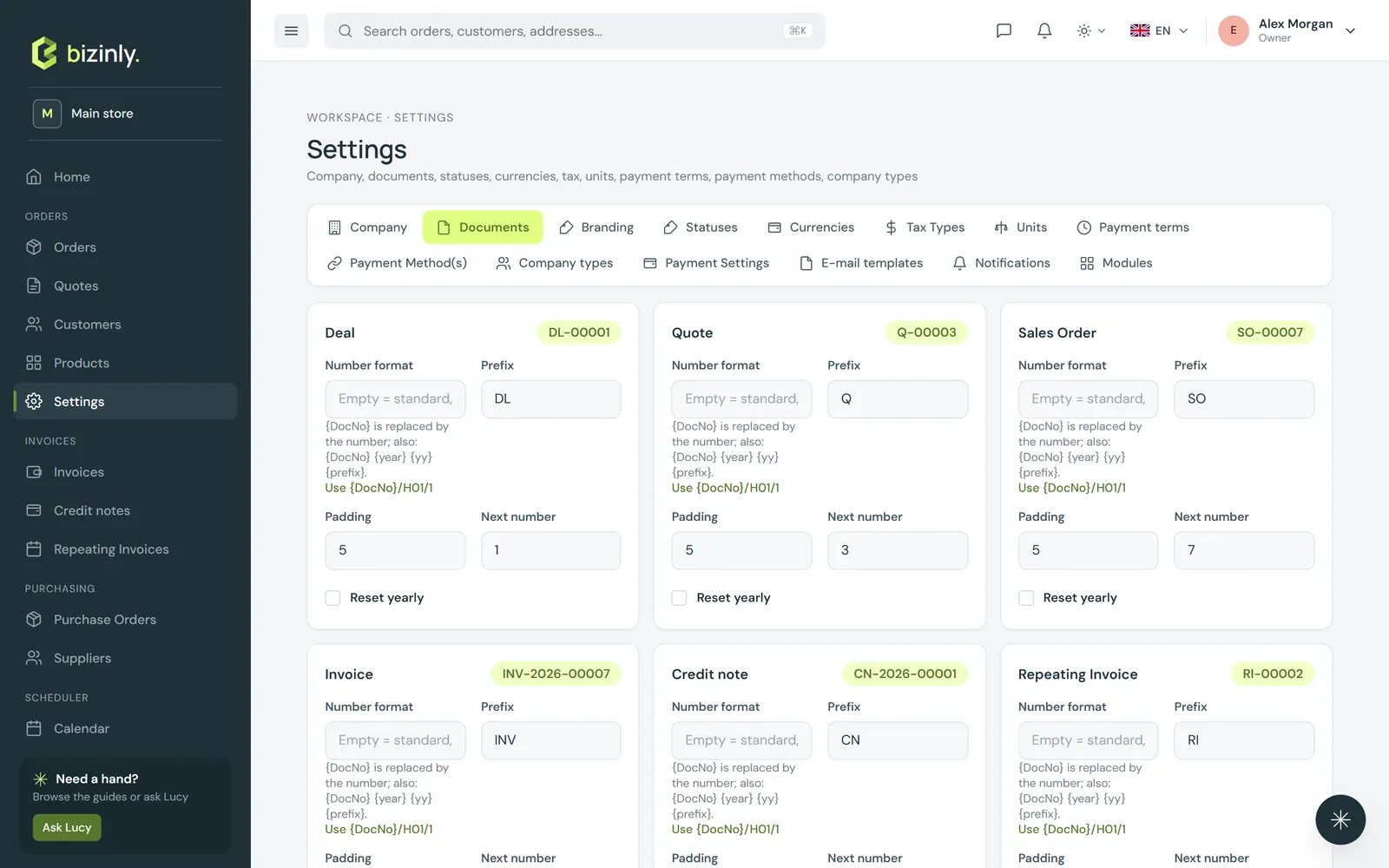
Settings → Documents → Numbering has one card per document type, with a live preview of the format.
- Prefix (1–8 characters), pad (how many digits), and reset yearly — on restarts the sequence every year from the document's issue date; off keeps counting forever.
- Next number can be raised, to continue a sequence from a previous system — lowering it is refused while any document already carries that number or higher.
- Numbers are generated atomically, so two people saving at the same moment never collide; a deleted draft never consumes a number, and a deleted numbered document's number is never reused.
- An invoice's number cannot change after it is issued — correct it with a credit note and a new invoice instead.
Texts and print options
Below numbering: a header text, a footer per document type, and a payment details text — printed on every PDF unless the document's own Notes field overrides it — plus print toggles for the description line, the unit column, shipping costs, an "issued by" strip, the document change log, and public links (the master switch for every shared link).
Related: Print preview and PDF download, Document branding and e-mail templates, Reference data settings.