
USER GUIDE
Repeating invoices
Set up a template once; Bizinly creates and sends each occurrence on schedule.
For a monthly support plan, a quarterly retainer, a yearly licence or any other invoice that repeats — set up a repeating invoice template once, and Bizinly creates a real invoice from it on every date of its schedule, and can issue and e-mail each one automatically.
Setting one up
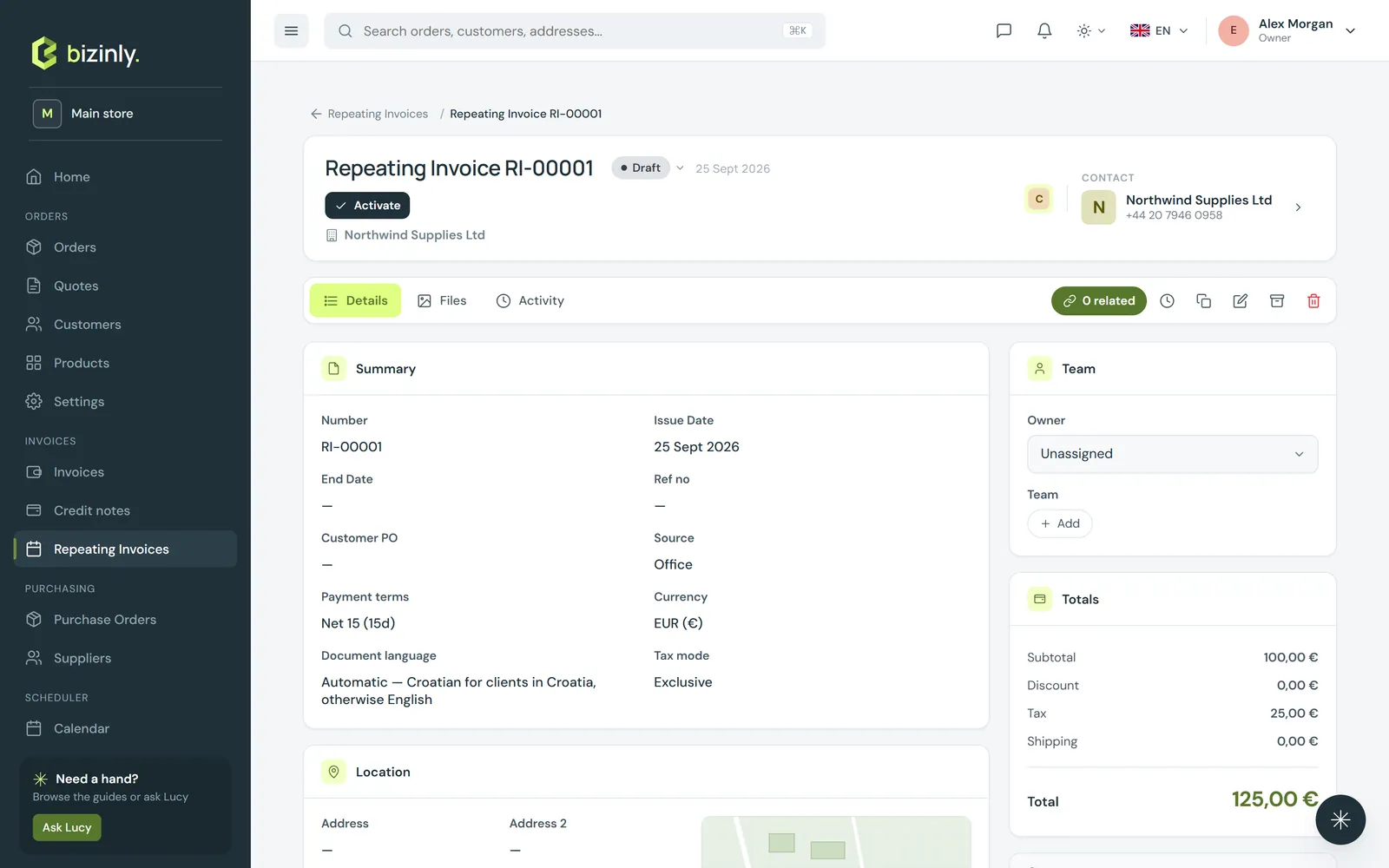
- Open Repeating invoices → New. The form is the same shape as an invoice's: customer, lines, currency, payment terms, payment method and bank account.
- Add a schedule: how often it repeats (day, week, month or year, every 1 to 120 of them), the first invoice date, and an optional end date.
- Choose what happens on each occurrence: save it as a draft to review yourself, issue it, or issue it and e-mail it with the message settings you set up on the template (recipient, subject, message, whether to attach the PDF).
- Activate the template. From then on it creates invoices on schedule automatically — or press Create next invoice now at any time to generate the next occurrence early.
What each invoice carries
Every generated invoice is an ordinary invoice — it shows on your Invoices list, can be paid, reminded and reported on exactly like any other, and links back to its template on the Related tab.
Text on a repeating invoice can use placeholders such as the month, the year, or the billed period, so a line like "Hosting — [Month Year]" prints correctly on every occurrence without you touching the template again.
From an existing invoice
On any invoice's page, press Make repeating to create a template from it — same customer, lines, terms, payment method and bank account, starting one month after the invoice's date. Review the schedule, then activate it.
Related: Create an invoice, Payment reminders, Contracts.