
USER GUIDE
Document branding and e-mail templates
Make your quotes, orders and invoices look like your business, and word your e-mails once.
Branding your documents
Settings → Branding is a form on the left and a live preview of a real document on the right — no drag-and-drop designer to fight with, just the controls that actually matter.
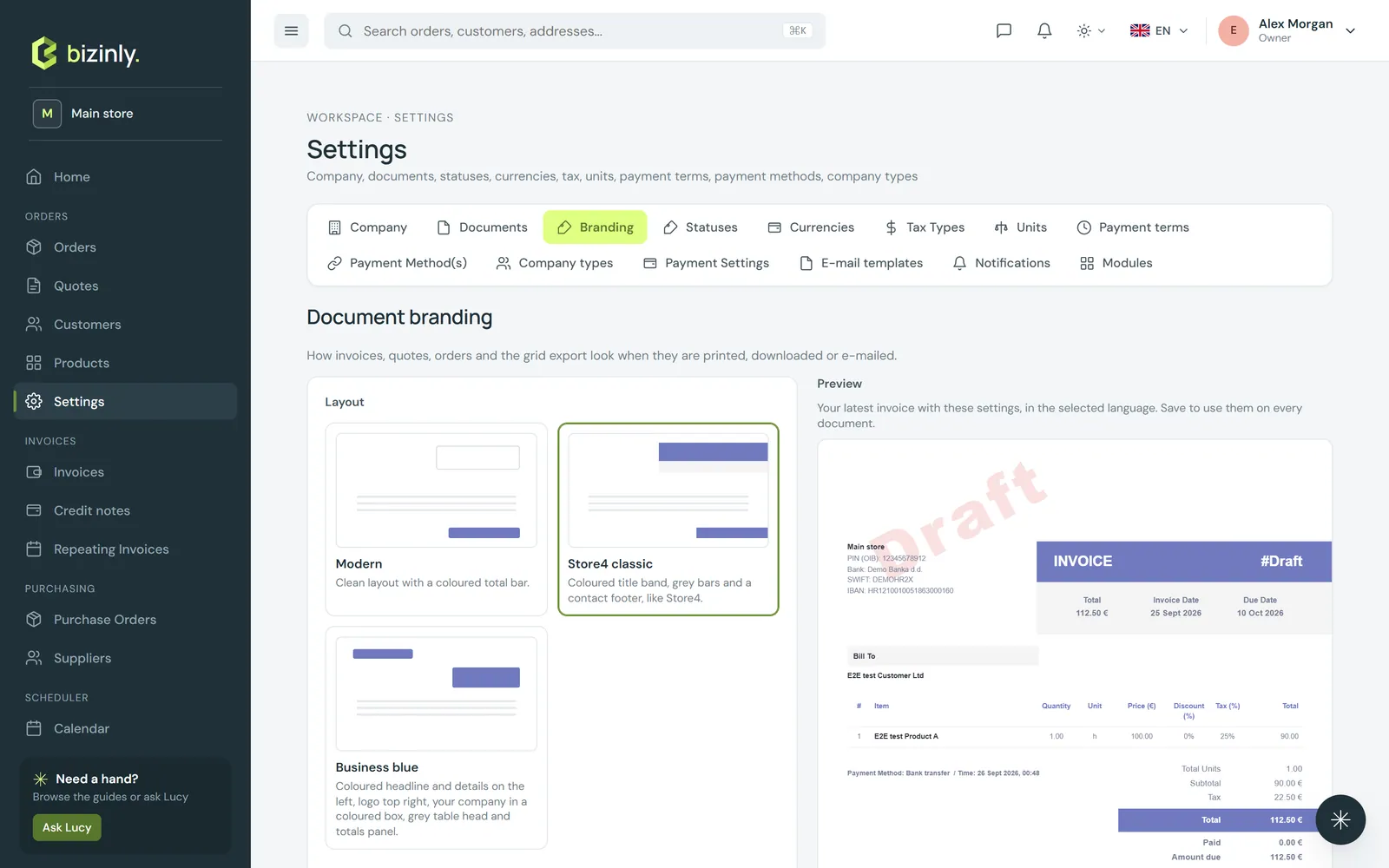
- Pick a layout preset — a clean modern look, or a denser, classic invoice style.
- Choose your brand colour (with a contrast check, so your own text always stays readable on it) and a font.
- Position your logo, and switch document blocks on or off: bank details, delivery address, a VAT breakdown, paid/amount due, the discount column, your footer contacts and page numbers.
- Save, and every quote, order, invoice, proforma and credit note picks up the new look immediately — along with the shared pay page and the printed summary report.
E-mail templates
Settings → E-mail templates holds named templates per document type (quote, order, invoice, proforma, credit note, purchase order, repeating invoice, payment reminder, contract) and per language, so the right wording goes out automatically to the right customer.
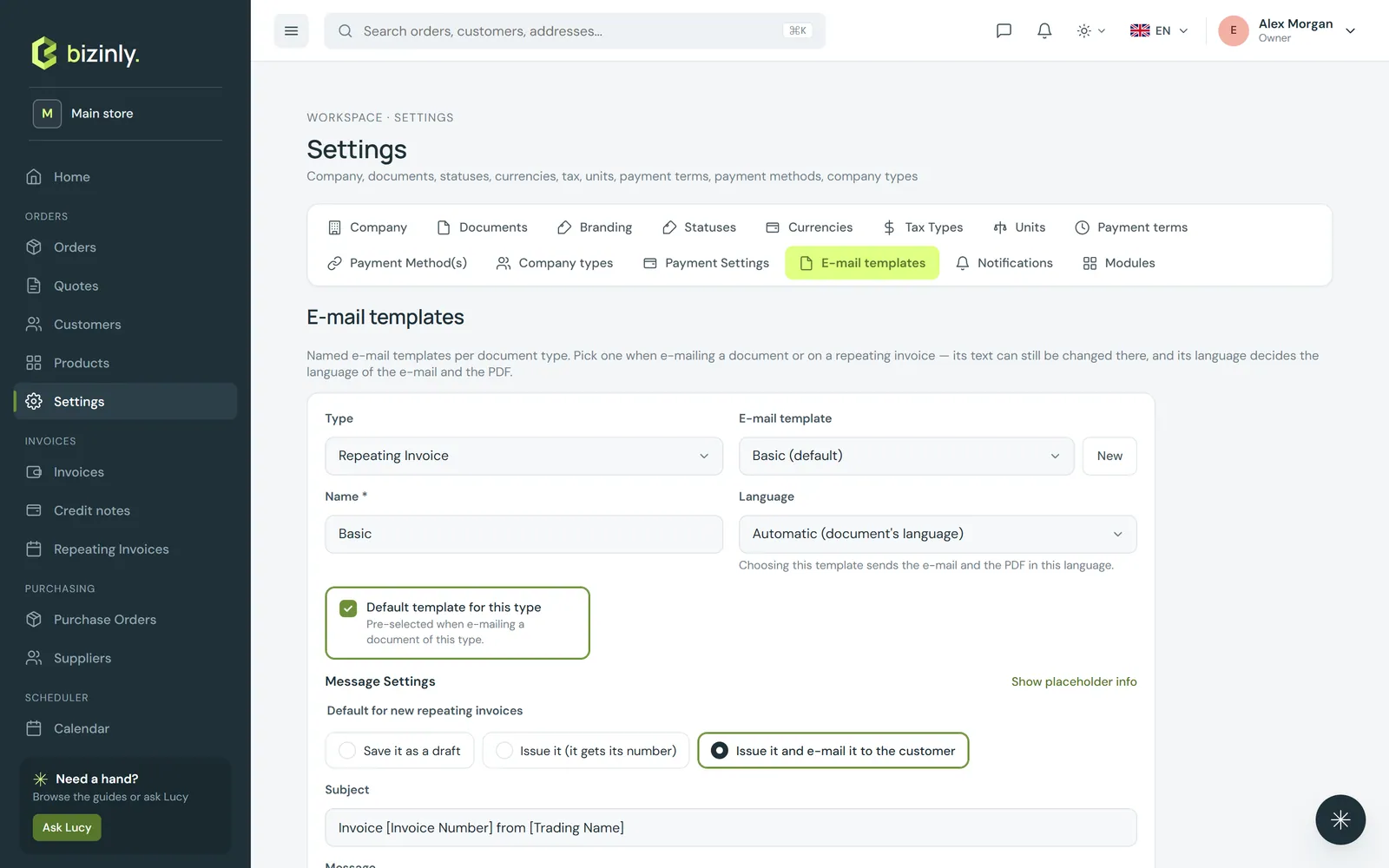
- Create a template: give it a name, a language, a subject and a message, and mark it as the default for that type and language if it should be picked automatically.
- Use placeholders such as the invoice number, total, due date or an online payment link — Bizinly fills them in when the e-mail is actually sent.
- When you open the E-mail dialog on a document, Bizinly preselects a template that matches the document's own language automatically, so a customer abroad never receives the wrong language by accident. You can still change the subject or message before sending.
Related: Document language, Share and e-mail a document, Company and document settings.