
USER GUIDE
Record and manage payments
Record a payment, split it across instalments, refund it, or delete a mistake.
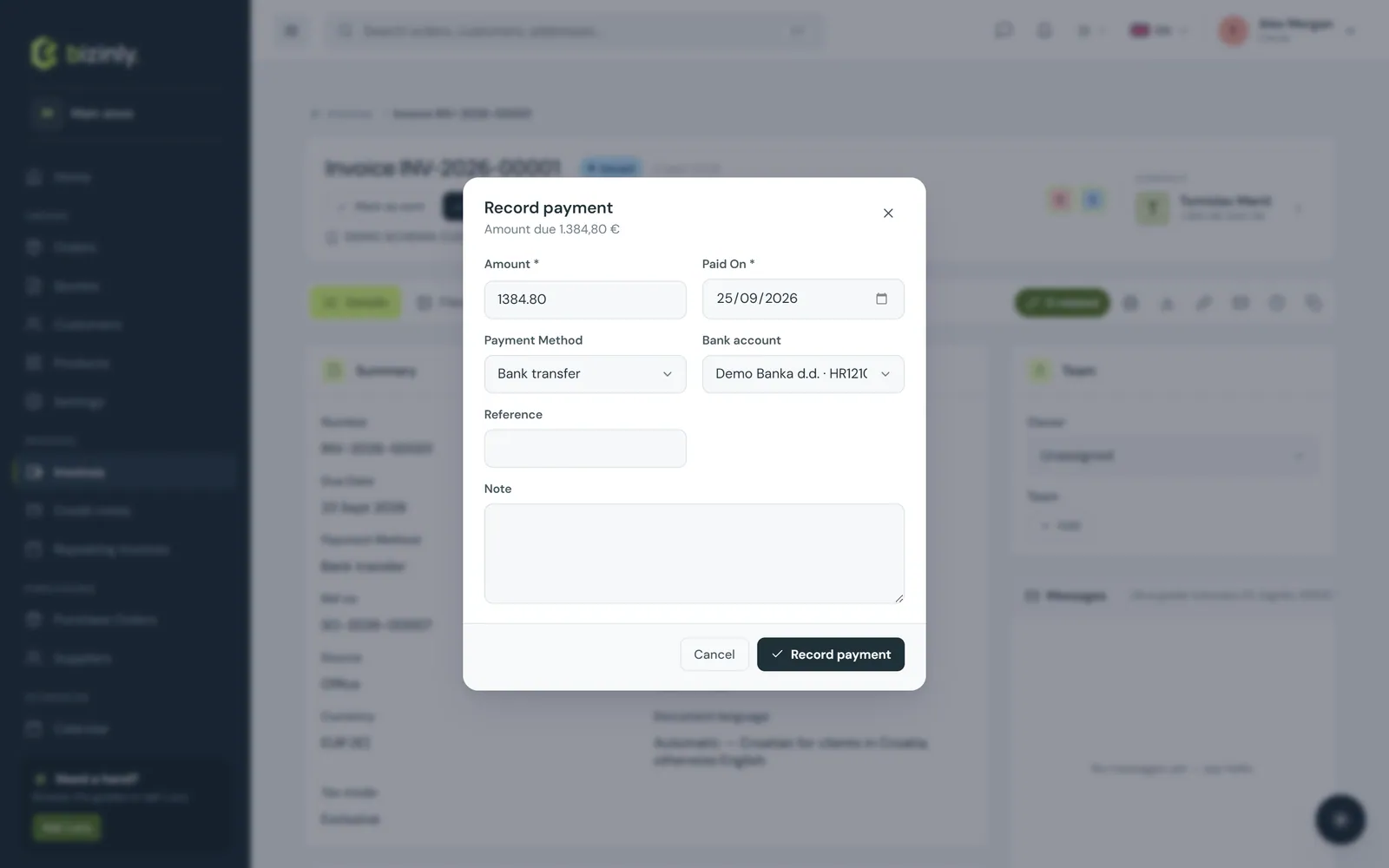
On an issued invoice, press Record payment: enter the amount, date, method and an optional reference. The invoice's paid amount and amount due update, and its status becomes Partial or Paid automatically.
Recording a payment
- Open the invoice — it must be Issued, Sent or Partial; drafts and cancelled invoices cannot receive a payment.
- Press Record payment in the footer, or in the Payments card in the side rail.
- The dialog pre-fills the amount due and today's date. Adjust as needed; choose the payment method (bank transfer, card, cash, cheque, PayPal, other), optionally a bank account, a reference and a note.
 4. Press Save. The Payments card lists it, and the totals rail shows Paid and Amount due.
5. Rules: the amount cannot be zero, the payment date cannot be before the invoice's issue date, and total payments can never exceed the invoice total — an overpayment is refused rather than accepted and left dangling.
6. Paid in full moves the status to Paid (with a paid date); partly paid keeps it Partial.
4. Press Save. The Payments card lists it, and the totals rail shows Paid and Amount due.
5. Rules: the amount cannot be zero, the payment date cannot be before the invoice's issue date, and total payments can never exceed the invoice total — an overpayment is refused rather than accepted and left dangling.
6. Paid in full moves the status to Paid (with a paid date); partly paid keeps it Partial.
Partial payments and instalments
Record as many payments as you need on one invoice — the status stays Partial until the sum reaches the total; each dialog suggests the remaining amount, but you can enter less.
Refunds
A refund is simply a payment with a negative amount. The balance can never go below zero, so a refund can only return what was actually paid; the status recalculates automatically (for example, back to Partial).
Deleting a wrong payment
In the Payments card, press the trash icon on the row and confirm. The invoice's paid total and status are recomputed — back to Sent if it had been e-mailed or marked sent, or Issued otherwise. Every payment and deletion is recorded in the document's activity log.
A payment made through your online payments page — card, PayPal, Direct Debit, and so on — lands here automatically, with its method and the provider's own reference, the moment it's confirmed.
Related: Online payments, Issue and lock invoices, Credit notes, Reference data settings.