
USER GUIDE
The Products list
Find, filter and work on many products at once — status pills, filters, bulk actions, archive and a side panel.
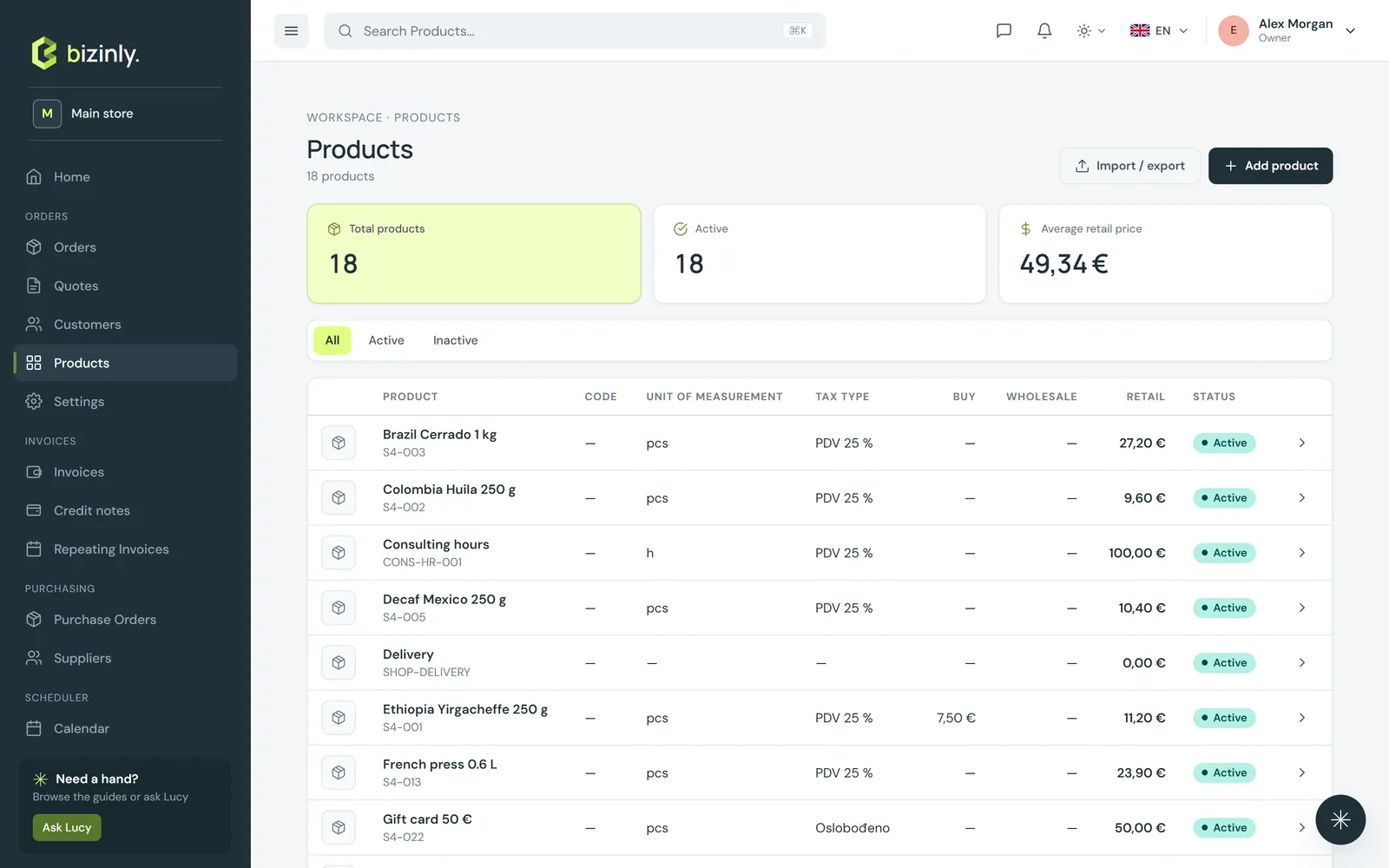
Products works like your Orders list: counts at the top, filters, a selection bar for bulk work, and a side panel that opens a product without leaving the list.
Find what you need
- All · Active · Inactive · Archived at the top filter the list and show how many products each one holds. All means every product that isn't archived.
- Search in the top bar finds products by name, code or SKU.
- Filters narrows the list by tax type, unit and retail price range; each filter shows as a chip you can remove with ×. Your filters are remembered in your browser.
- Sort by name, code, SKU, price or date added; the list pages through large catalogues.
- Export in the header downloads exactly what the list shows (pill, filters and search, every page) as CSV. The Import / export dialog still exports the whole catalogue — see Import and export data.
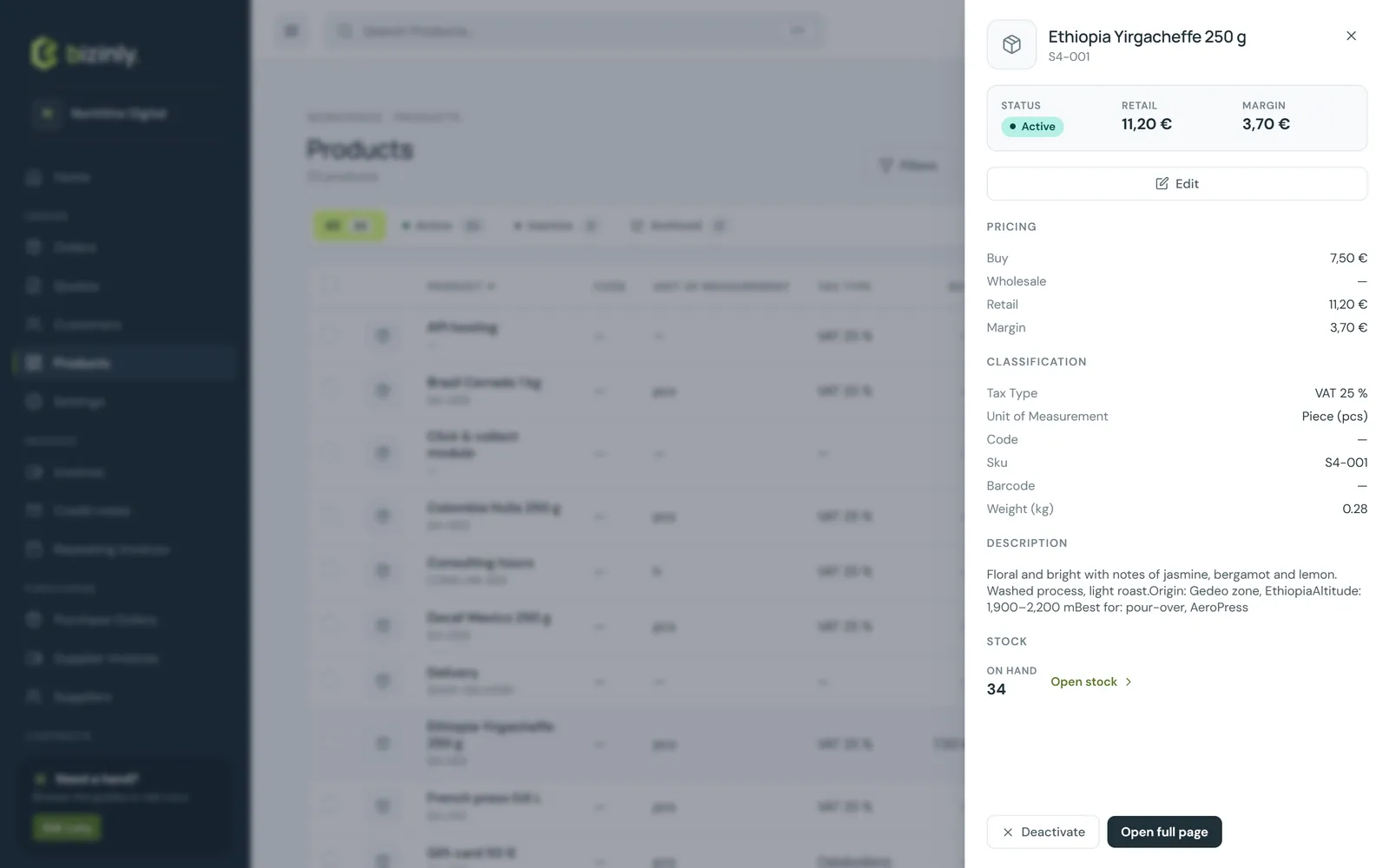
The side panel
Press a row (or its arrow) to open the product beside the list: its image, code and SKU, status, retail price and margin; buy, wholesale and retail prices; tax type, unit, barcode and weight; the description; and stock on hand when inventory is on for your workspace and you may see it. From the panel you can Edit, Activate or Deactivate, and Open full page. When payment links are switched on, Share link sits at the top. Press Esc or click outside to close it.
Work on several products at once
Tick the round boxes to select products (the box in the header selects the whole page). A dark bar appears with what you can do with the selection:
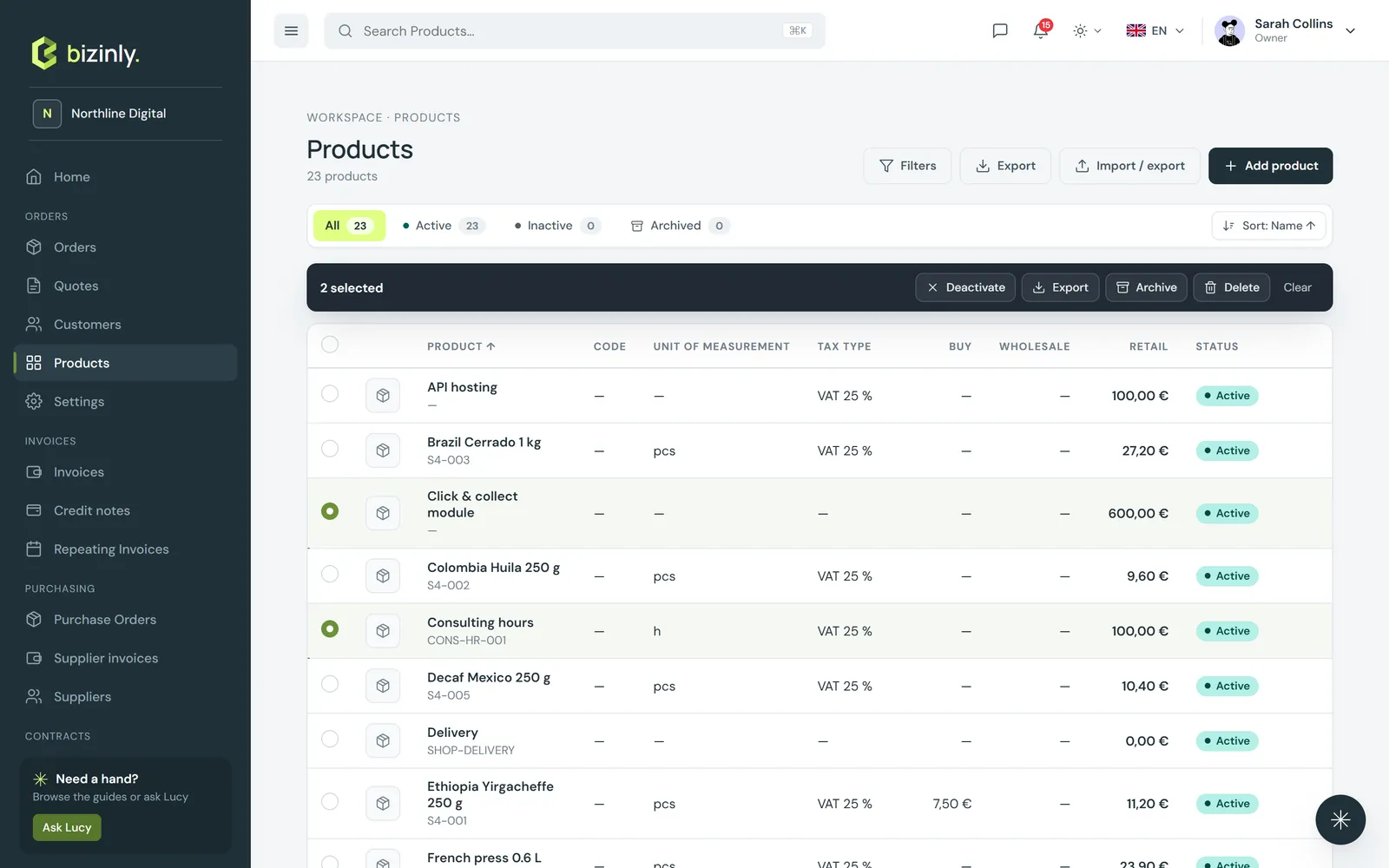
- Activate / Deactivate — a deactivated product stays in the list but can't be added to new documents. Deactivating asks you to confirm first.
- Export — just the selected rows, as CSV.
- Archive — the product is switched off and leaves the list, the counts and every product picker. Documents that already use it don't change. Find it again under Archived; the owner or an admin presses Restore and it comes back inactive, ready to switch on when you need it.
- There is no Delete: products are never deleted, so the history of what you sold always stays intact. Archive a product you no longer sell.
- With exactly one product selected: Edit, and Share link when payment links are on.
- Clear empties the selection; changing the page, a filter, the sort or the search clears it too.
Every action checks your permissions for products and is recorded in the activity log.
On a phone the list keeps the product, its retail price, its status and the selection; tap a row to open the side panel.
Related: Add a product or service, Payment links, Import and export data, Search and filters.